
Keys Community
Building a digital platform to connect neighbors and empower local communities
A community platform for residents, managers, and local services, across mobile, desktop, and an admin CRM
- Years
- 2022-2023
- Role & team
- Lead designer, led a team of two
- 2 Designers, Product Owner, Development Team
- Activities
- Team leading, User research, Visual design, Prototyping, Design system
Reading time: 3 min
01 · About
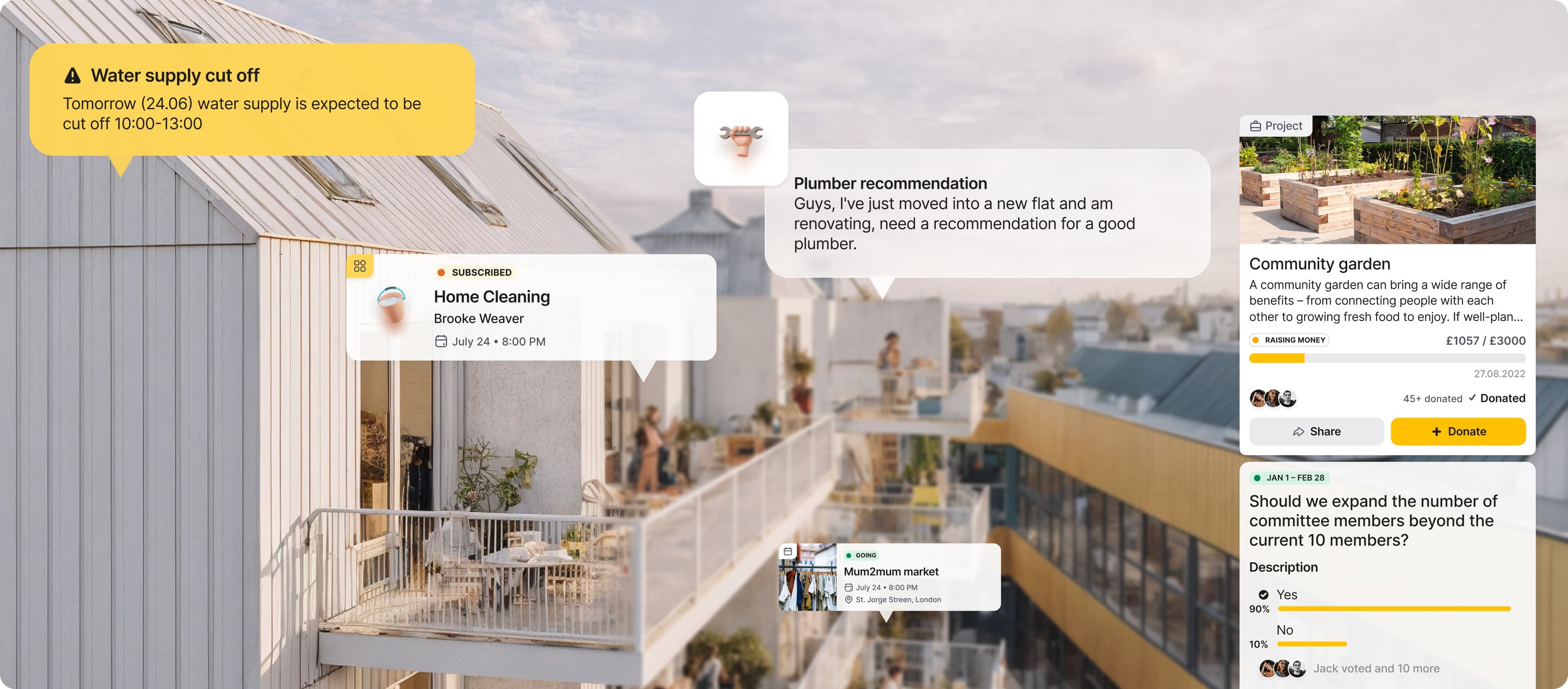
One platform for five groups with almost nothing in common
Keys Community needed a digital platform to transform how residential communities connect and operate. The existing property management landscape was fragmented, with multiple disconnected channels for communication and services.
The task expanded from a simple communication tool to a platform serving five distinct user groups: residents, property managers, committee members, local businesses, and service providers.
I was the lead designer. I led a team of two designers, ran the research and the stakeholder workshops, set the product direction that came out of them, and built the design system the team worked from.
The app was released after my engagement ended, and the released version differs from this design. This case shows the design as I delivered it.
02 · Challenge
Two designers, twelve months, mobile and desktop both
With two designers on my team and a 12-month timeline to launch both mobile and desktop applications, I had to prioritize hard and build a foundation the team could scale on rather than redraw.
03 · Discovery
Interviews across every community role
To understand what five different groups needed from the same product, I ran interviews across every community role, a competitive review of existing community and property management platforms, and stakeholder workshops to align the client and the team on vision and priorities.
15
Interview participants across five community roles
04 · Interviews and personas
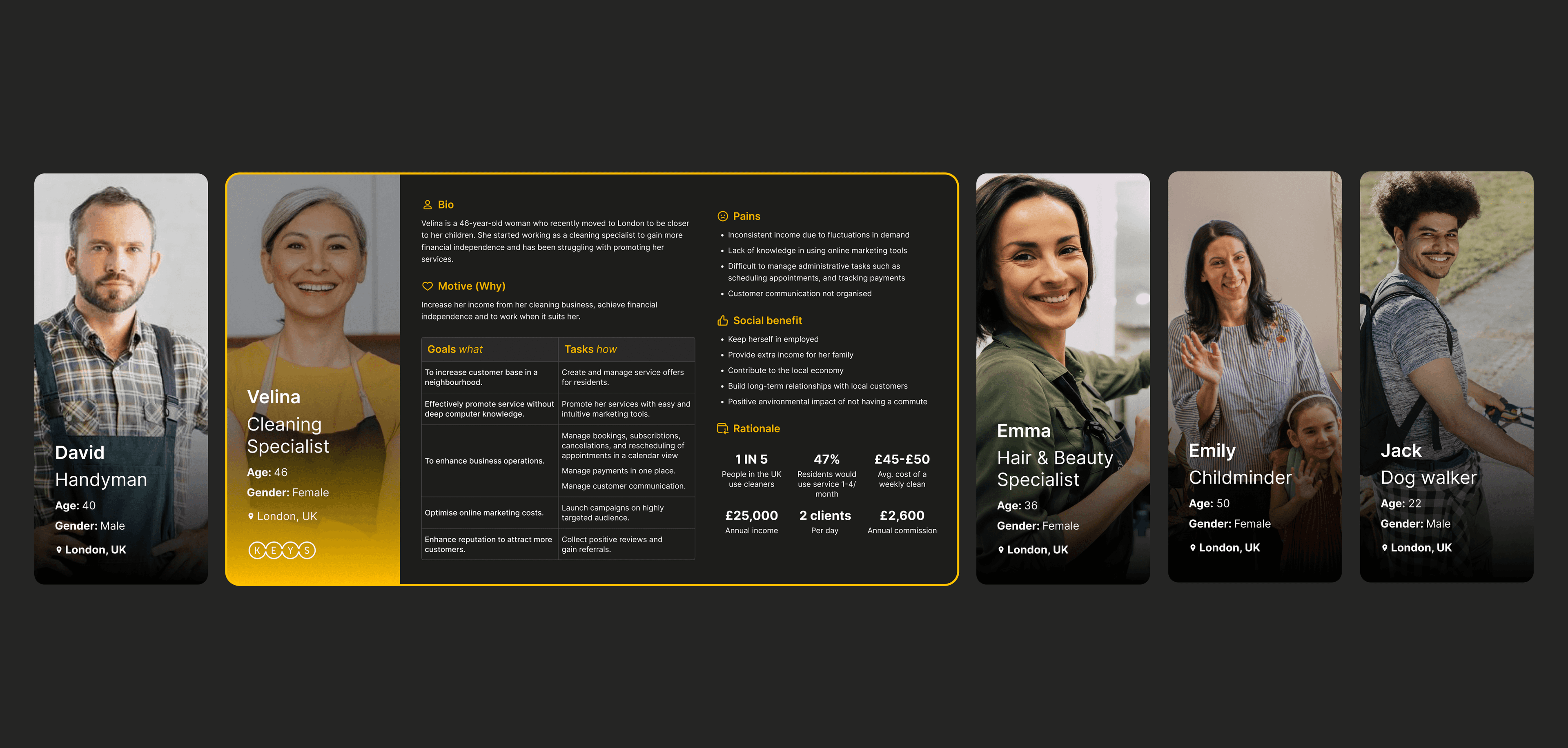
Fifteen participants became five personas
We spoke with residents, property managers, committee members, and local business owners to understand their goals, pain points, and expectations.
- Property Managers: need efficient tools to communicate with residents, manage maintenance requests, and organize community affairs.
- Committee Members: require platforms for transparent decision-making, project management, and community engagement.
- Residents: want simple ways to stay informed, connect with neighbors, access services, and participate in community activities.
- Local Businesses: need visibility within the community and ways to offer services to local residents.
- Service Providers: require efficient ways to receive and manage service requests from community members.
05 · Outcome
People come for the payments and stay for the neighbors
The research pointed at a split I had to design around: residents came to the platform for practical things like payments, requests, and bookings, but what kept them there was the neighbors. I structured the product so the practical tasks stay fast and community life sits alongside them instead of behind them.
06 · Design solution
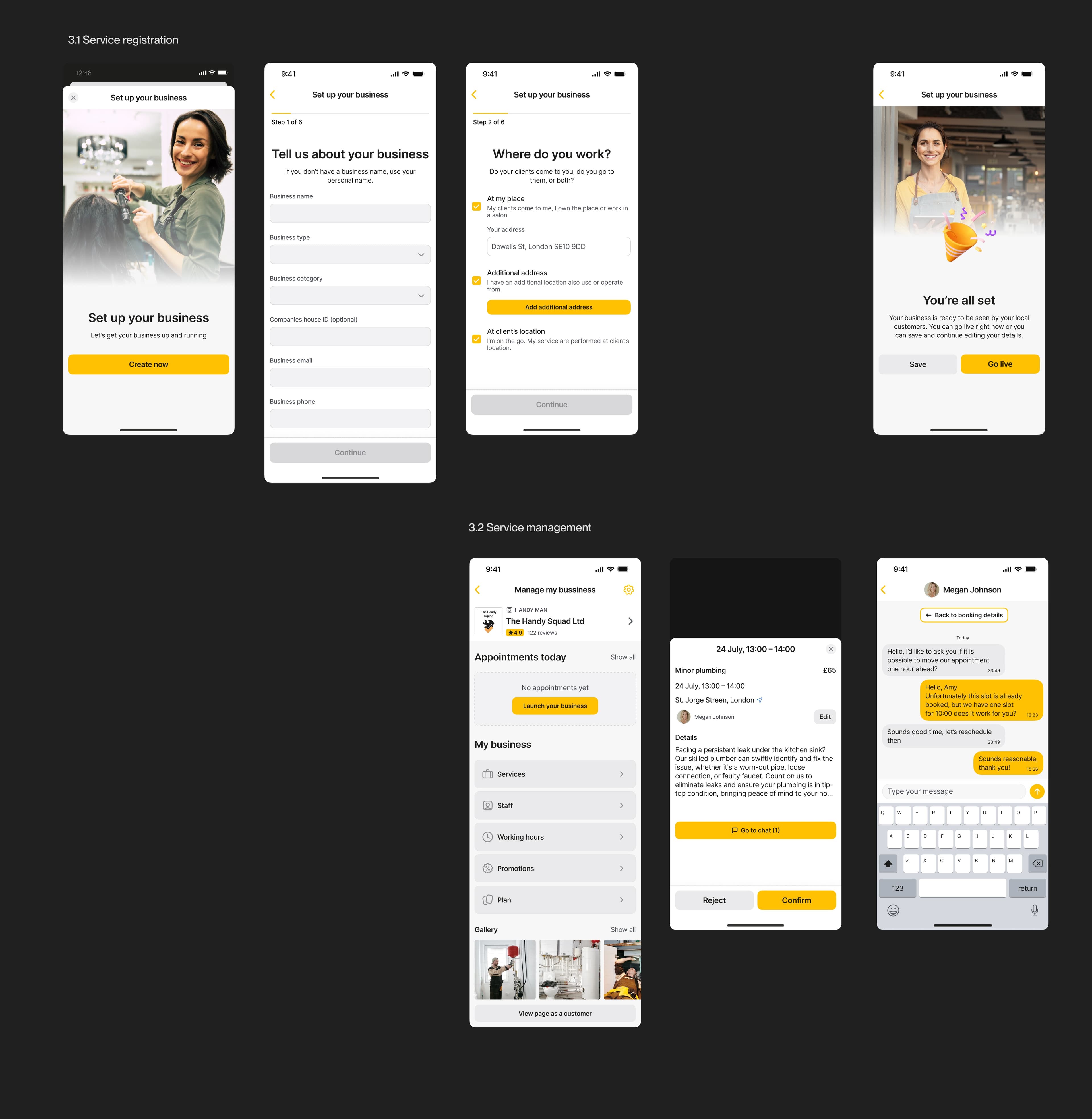
Mobile for the day to day, desktop for the heavy work
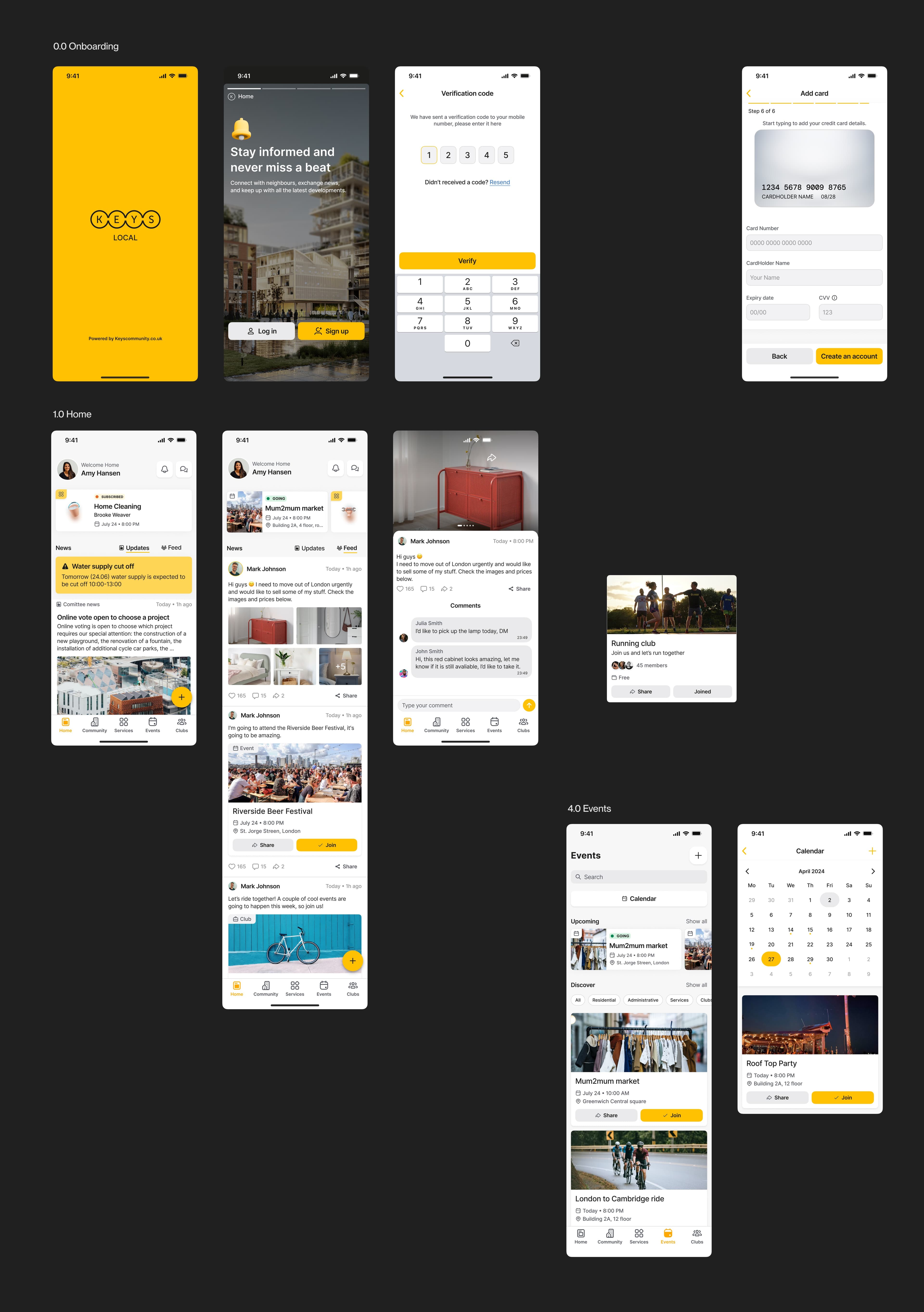
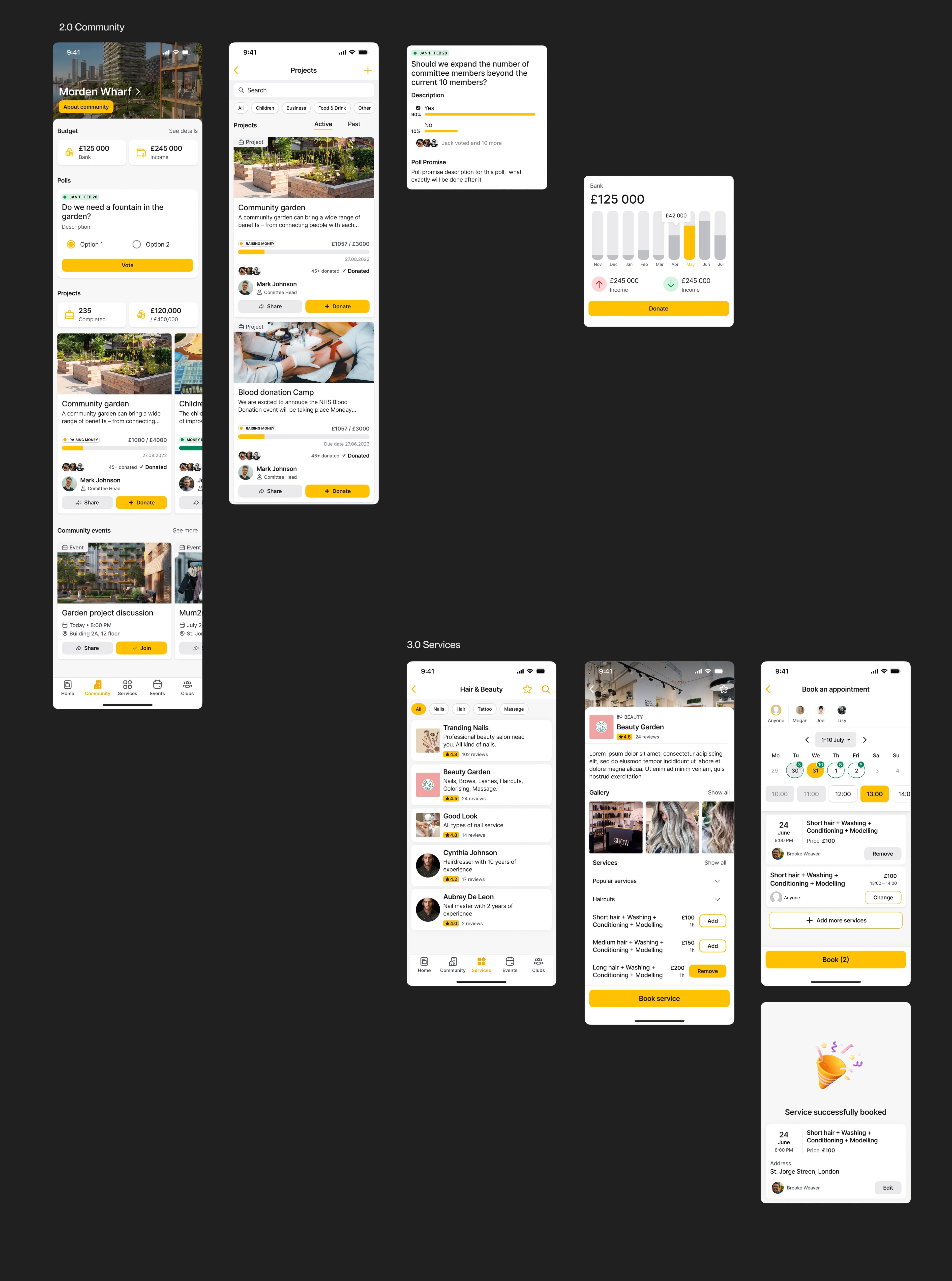
Mobile: the resident's daily touchpoint
The mobile app is where residents meet their community day to day:
- Personalized home feed with community updates
- Direct messaging with neighbors and property management
- Community events and projects
- Local services marketplace
- Voting tools for community decisions
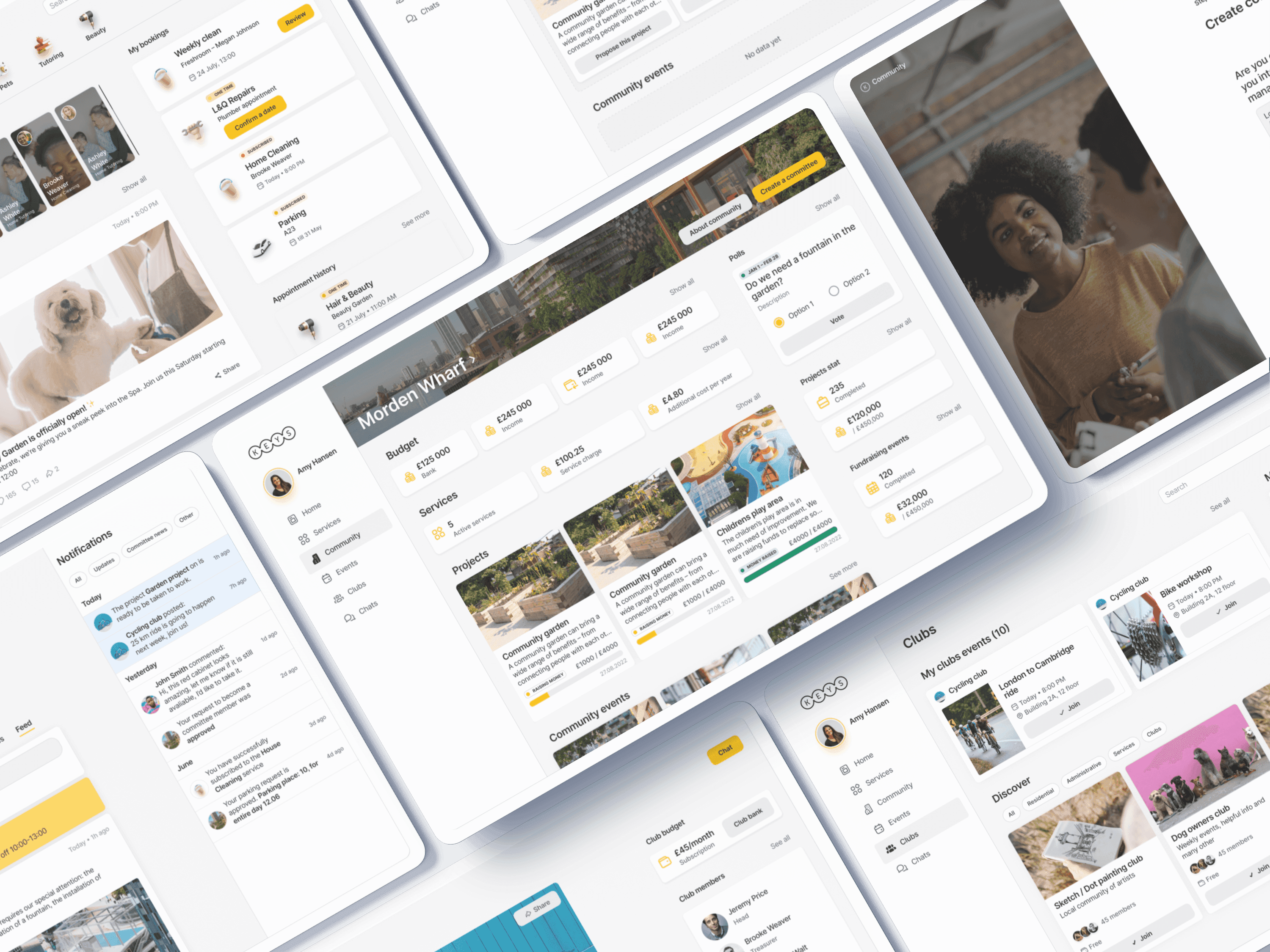
Desktop: tools for managers and committees
The desktop platform carries the heavier work for property managers and committee members:
- A single dashboard for community oversight
- Reporting and document management
- Project planning and tracking tools
- Community engagement analytics
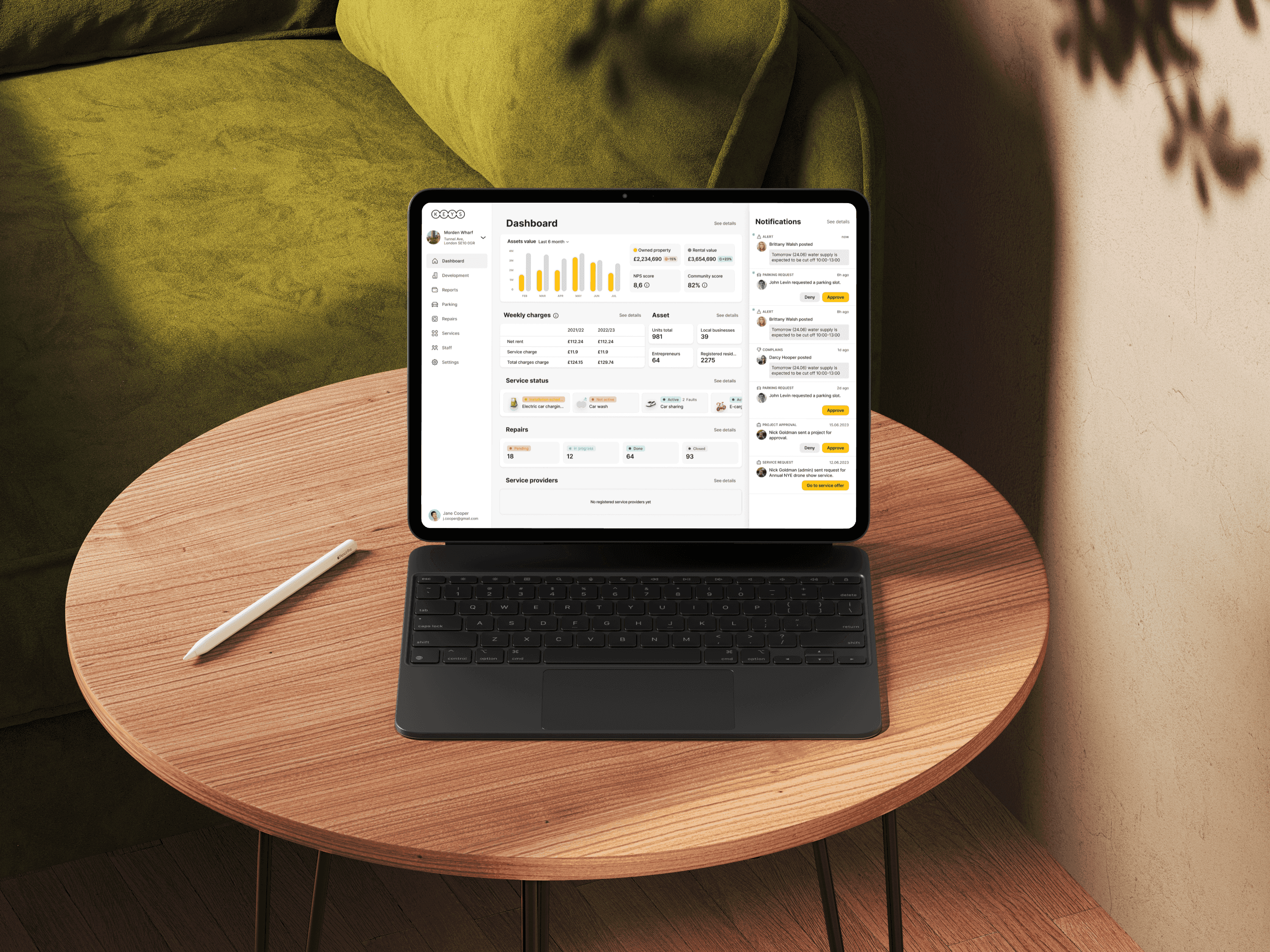
Proof of concept: the administrator CRM
I designed a dedicated interface for property managers:
- Resident management tools
- Maintenance request tracking
- Communication templates and scheduling
- Financial management features
07 · Design system
160+ screens kept consistent by one system
A small team producing three surfaces in a year only works if nobody redraws the same component twice. I built the design system the team worked from: shared components, patterns, and rules covering mobile, desktop, and the admin CRM. It is what kept the surfaces consistent without me reviewing every screen, and what let us keep adding features late in the timeline without the interface drifting apart.
160+
Screens across mobile, desktop, and the admin CRM
08 · Impact and results
One interaction model across three surfaces
The engagement ended with the platform in its final stages of development, so the launch numbers belong to the team that took it over. What the design had settled by then:
- One interaction model shared across mobile, desktop, and the admin CRM
- Flows covering all five user groups, not only residents
- A component system the team could keep building on after launch
09 · Conclusion
One product that does not feel like three apps
Keys Community had to serve people with almost nothing in common: a resident booking a plumber, a committee running a vote, a cleaner picking up work. Keeping all of that in one product without it feeling like three separate apps was the design problem worth solving, and the system underneath it is what made that possible with a small team.
Turning a product catalog into an electrician's project tool