
Wallarm
Building a design system machines can read
Wallarm's first shared design system for its API and AI security platform, documented so people and AI agents can build with it correctly.
- Timeline
- 5 months
- Domain
- API and AI security platform
- Role & team
- Designer (design system + AI enablement)
- 2 designers + an engineering team
Reading time: 3 min
TL;DR
Wallarm's platform had no shared design system, so every screen started from scratch. With our design lead I built the design system that fixed it, and wrote the documentation that lets people and AI agents build with it correctly. Delivery got faster once it landed, and I am not putting a single number on that, because feature sizes varied too much for the comparison to mean anything.
What shipped
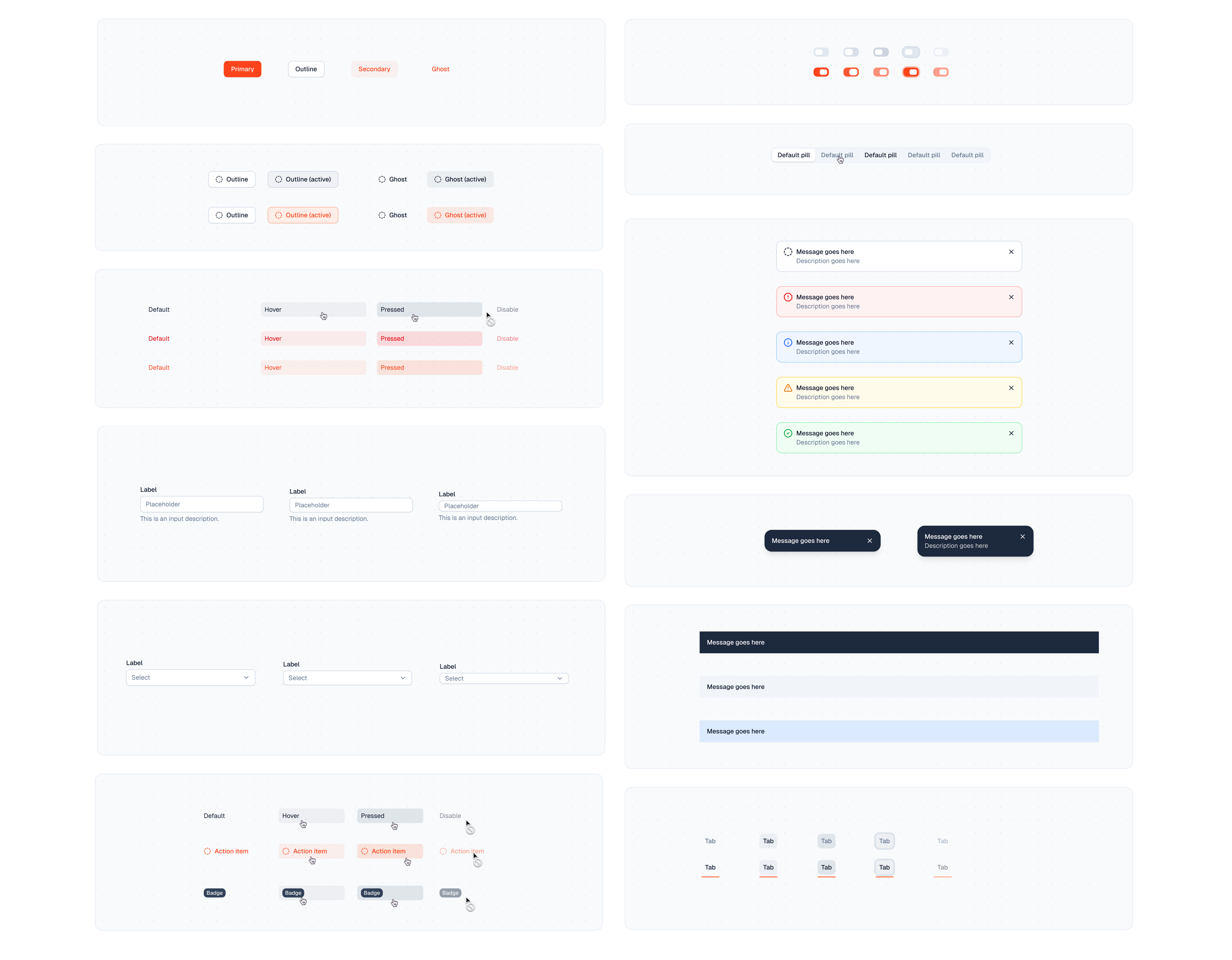
- A Storybook with every component: the finished design system, live in code.
- An MD spec for each component, with the do's and don'ts, usage details, and how components combine, so a person or an AI agent uses each one correctly.
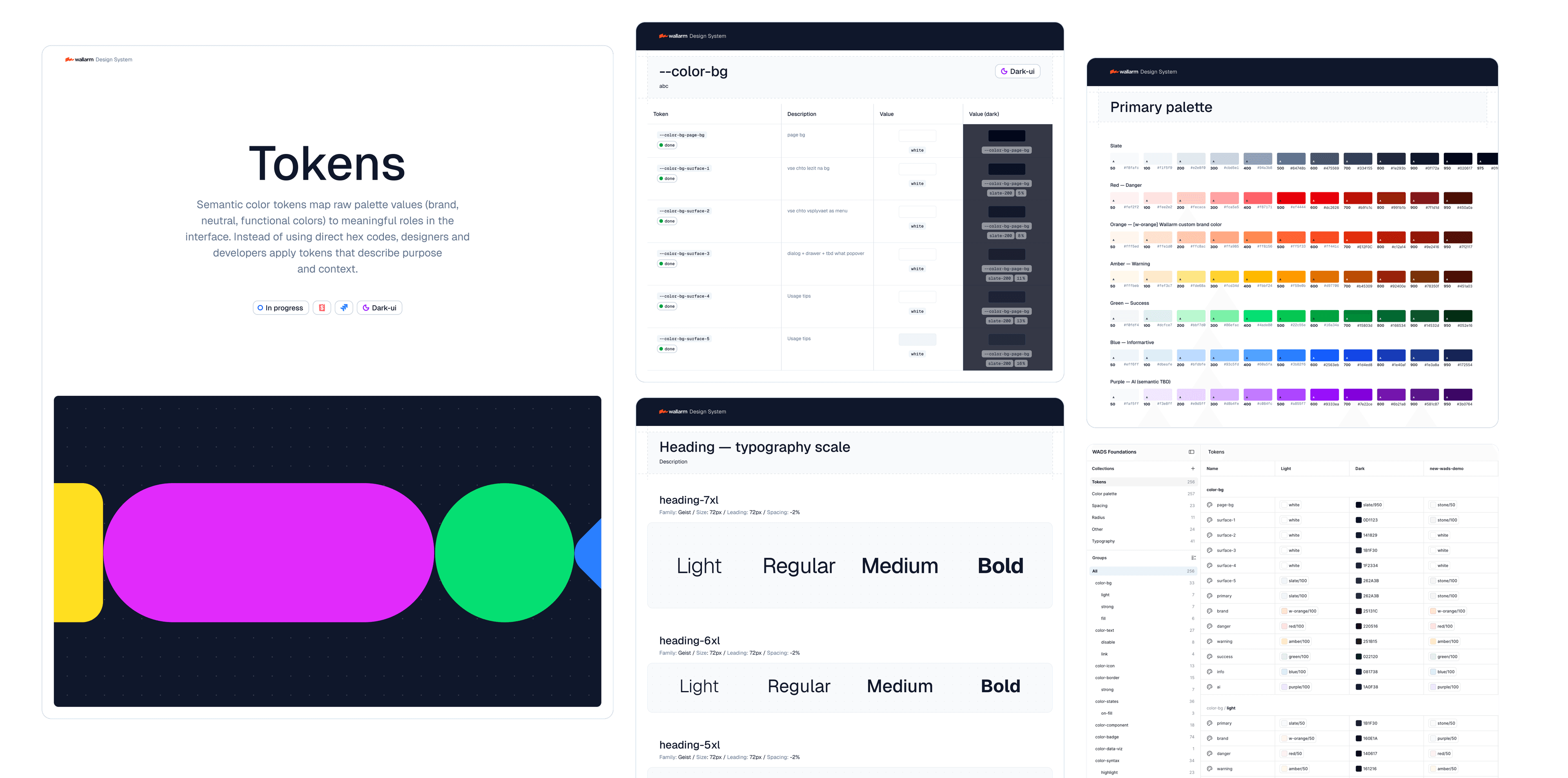
- Three Figma files with the token system and multi-theme support, covering every component.
01 · The problem
Every new screen started with days of archaeology
Wallarm's platform had no shared design system. Every new screen started with days of archaeology before any design: going through the console screen by screen, looking for something consistent to stand on, and finding none.
- No shared design system. Every page ran on its own rules.
- New screens started with days of archaeology, not design.
- Fast concepts came out inconsistent and low quality.
- An AI-first company could not move AI-first. There were no consistent parts to build from.
Key insight
Wallarm wanted AI-first design from the start. It could not get there until we built a design system: consistent, documented components an agent could actually build on.
02 · The turning point
Vibe-coding made the missing design system the bottleneck
What finally made the design system urgent was vibe-coding. Once PMs and engineers started shipping rough prototypes to explain ideas, the missing design system became the bottleneck. Everyone could suddenly prototype, but without shared, consistent parts the results came out rough and inconsistent.
03 · What I did
Co-designed the system, wrote the documentation
- Co-designed a new design system with our design lead: tokens, rules, and components tuned to Wallarm.
- Wrote UI in the engineering codebase and merged my own work.
- Wrote the design-system documentation: a spec per component, how they combine, and the do's and don'ts.
04 · Foundations
Tokens tuned to a product where severity reads at a glance
The design system starts with tokens: color, type, spacing, and elevation, tuned to a dense cybersecurity product where status and severity have to read at a glance.
05 · The documentation
Design judgment, written down once
A component library shows what exists. It doesn't say when to use a component, what to pair it with, or what to avoid. Our design lead and I wrote that down: a spec for every component, how components combine, the do's and don'ts, and a full guide to the filter field. Whoever builds a screen, a person or an agent, gets that judgment before they start.
- Short. One or two sentences per component, because picking the best line matters more than adding lines.
- True to the product. When the docs and the shipped component disagree, the component wins.
- The designer decides. A rule we reject is removed, not softened.
06 · How a feature gets built now
Idea to shipped, noticeably faster
The design system changed how the work happens. A feature used to move in a long line: research, weeks of mockups, a handoff to engineering, then a build. Now product often starts the concept, a PM brings a vibe-coded draft, and the same feature goes from idea to shipped noticeably faster than before. Here is how a feature moves now:

Whoever fits ships it: the designer, the PM, or the engineering team, depending on how complex the feature is.
What a designer does now depends on the work:
- Settings and service pages: fast, often no designer needed. We approve at the end and fix the code when it is not clean.
- Features from product: the PM's draft gets us most of the way. We turn it into a real concept and do the research around it.
- Net-new features: iterate straight into the design system, test with users fast, ship without the old friction.
07 · Impact
Impact
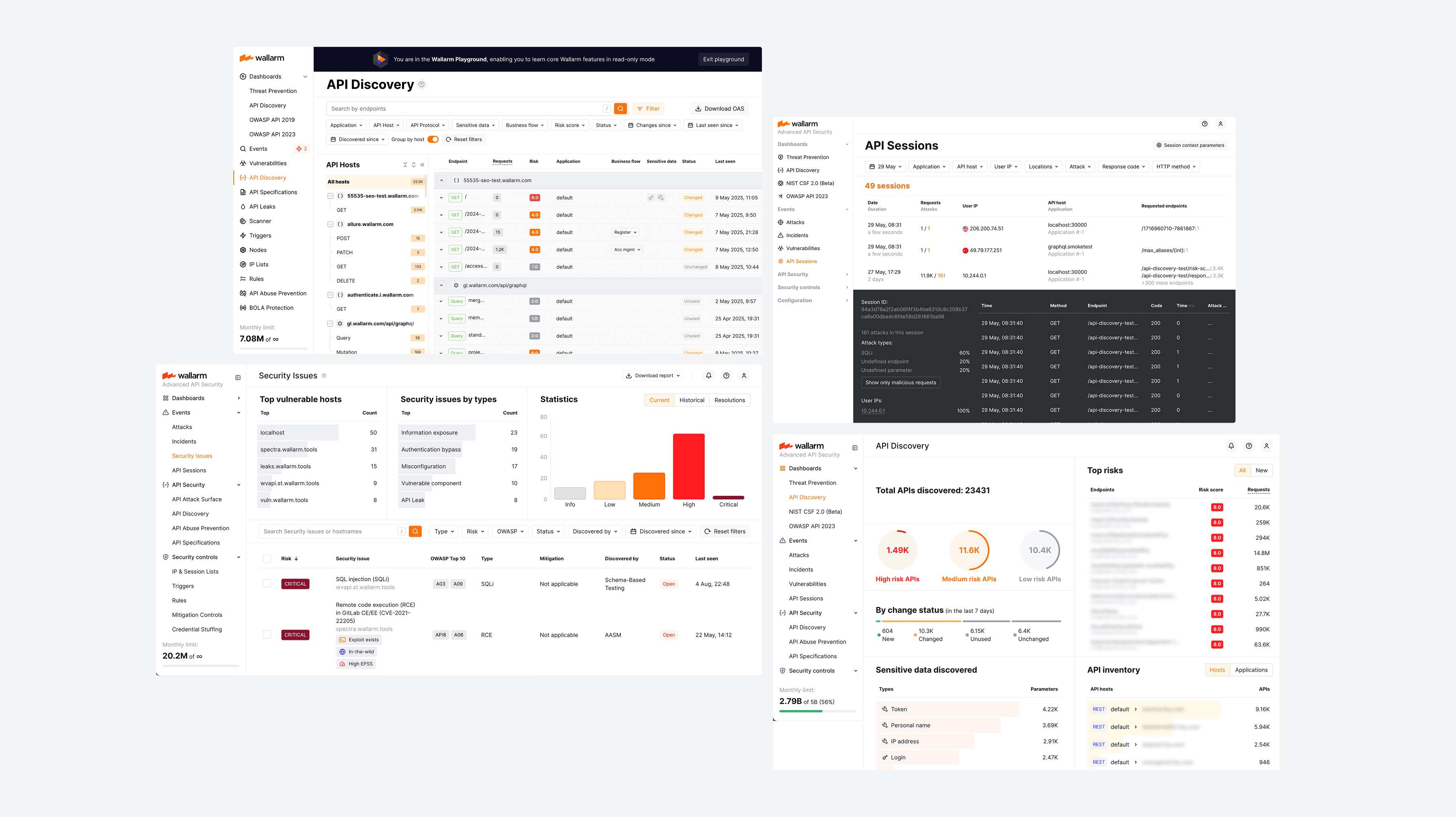
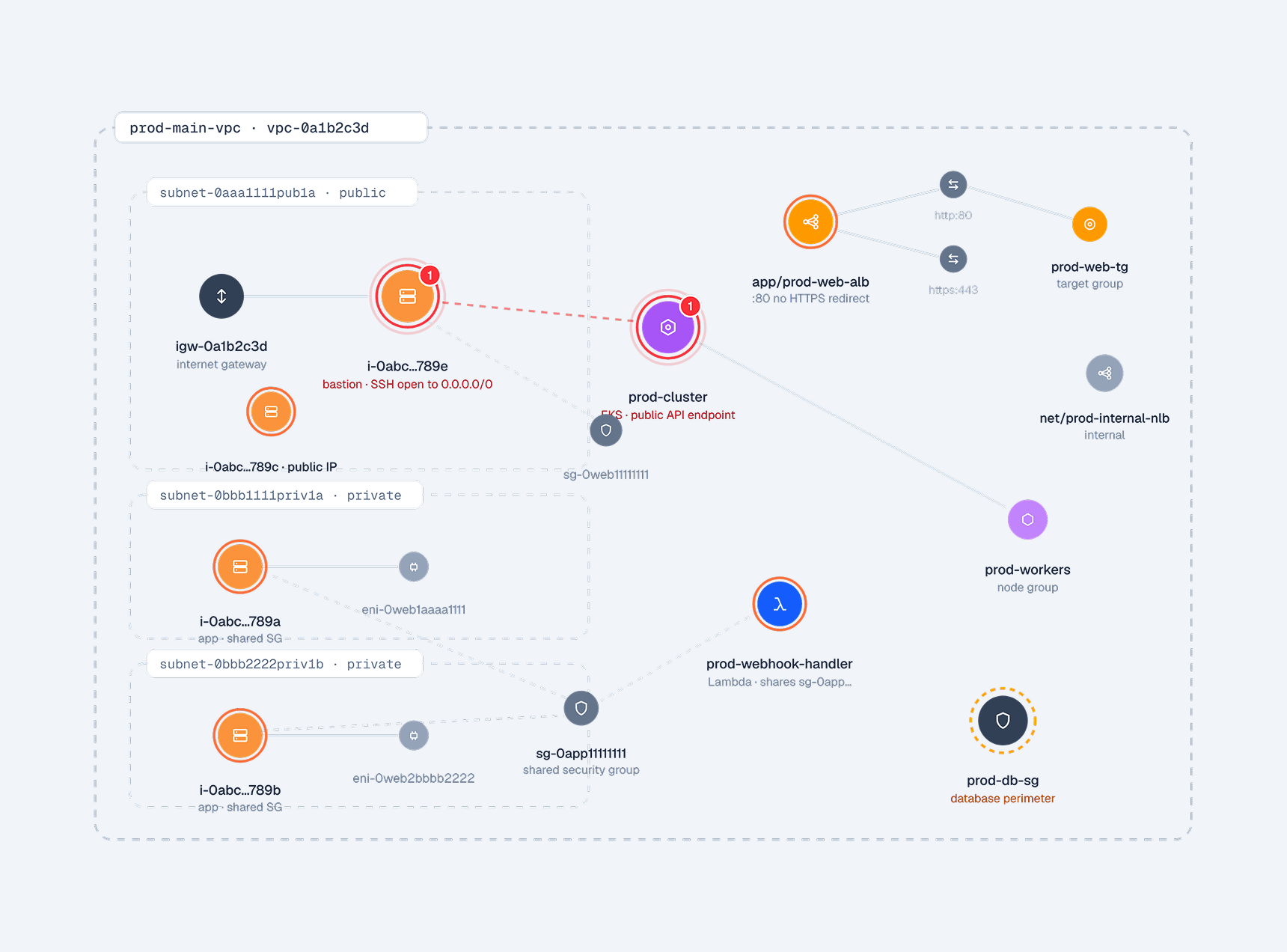
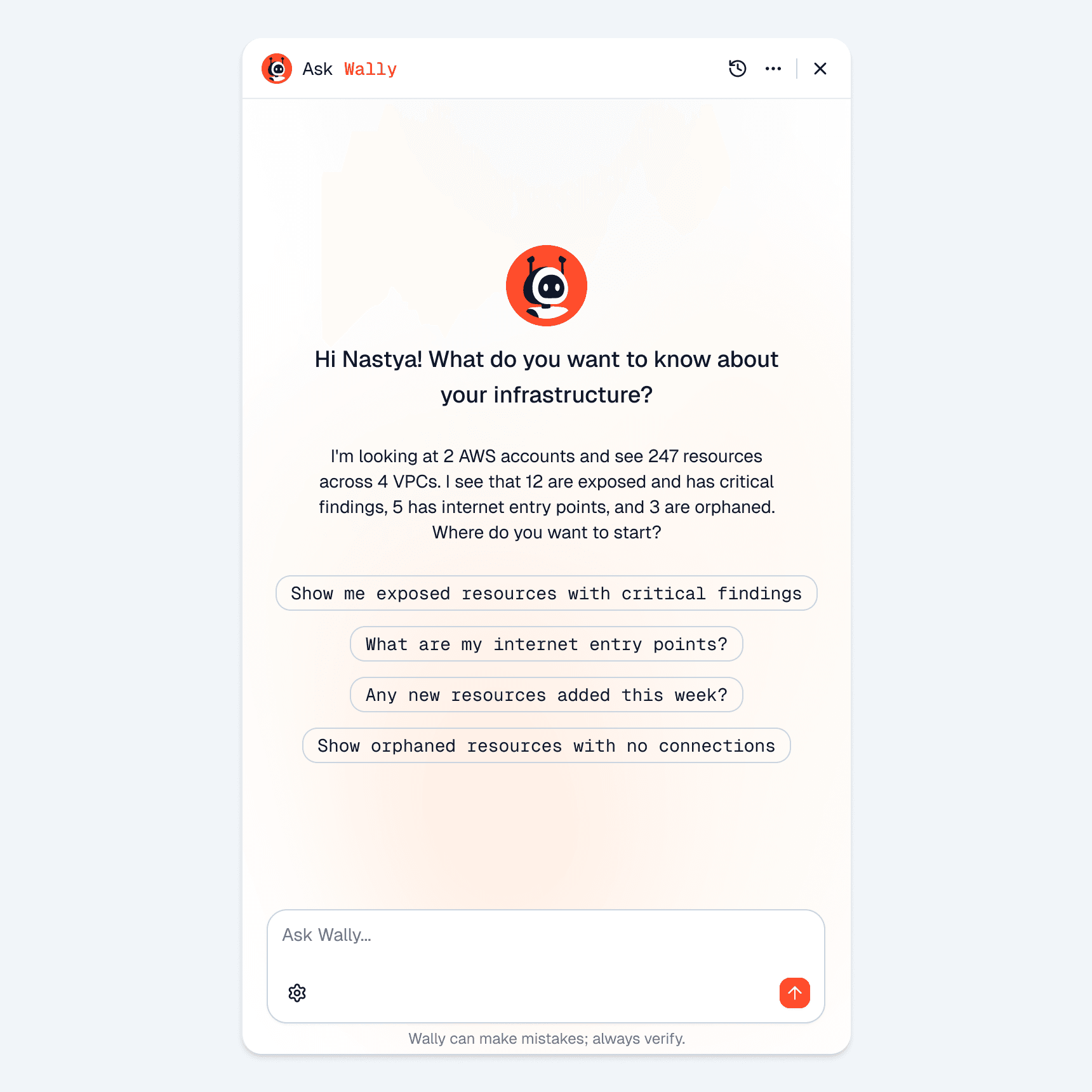
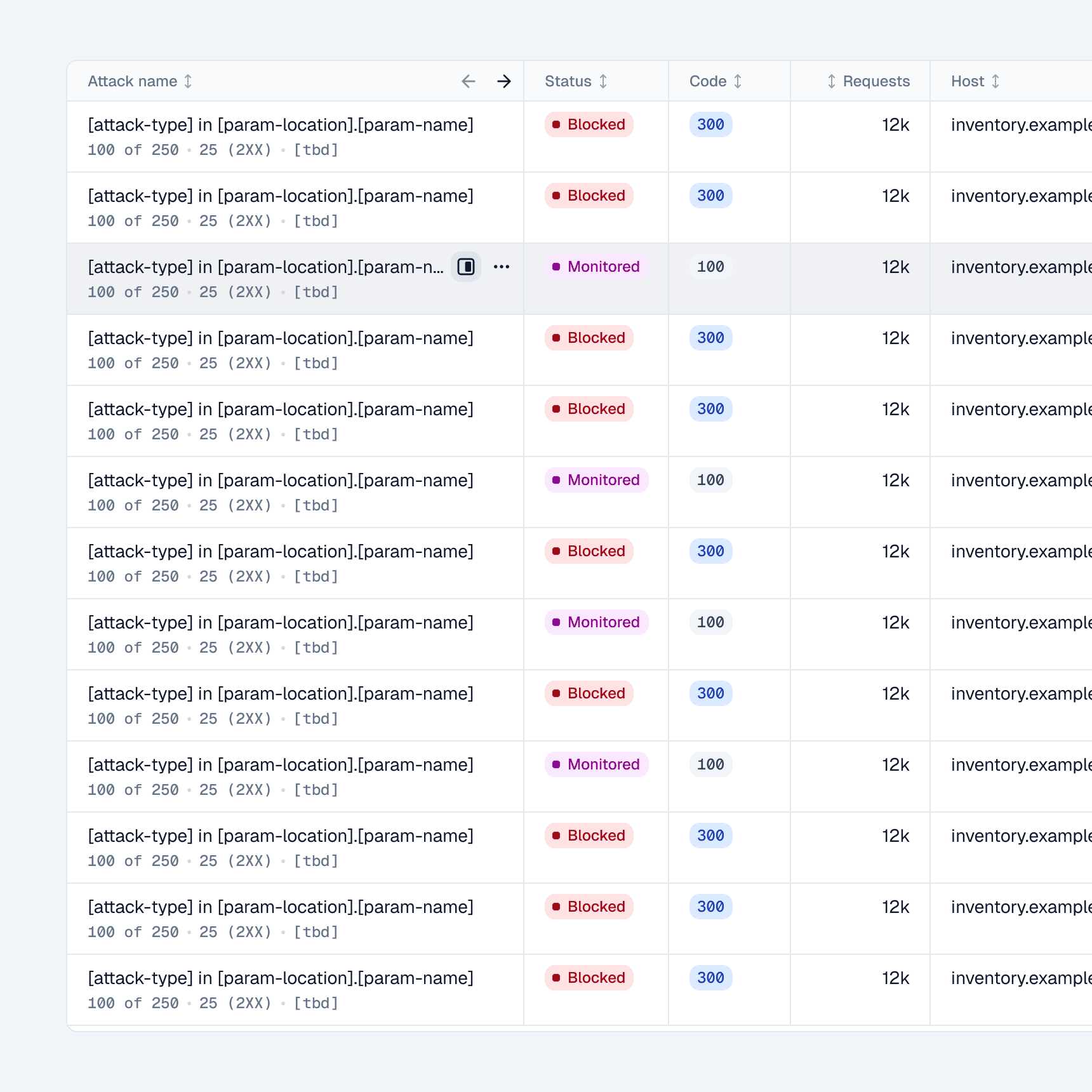
One documented design system, and the whole product moved onto it. The screens on the right, the dashboards, onboarding, the infrastructure graph, the AI assistant, the data tables, are all built from the same parts.
- The whole platform was reworked on the design system, so existing pages and new ones look like one product.
- Delivery got faster once it landed. I am not putting a single number on that, because feature sizes varied too much for the comparison to mean anything.
- New features start consistent: product starts a concept, and a person or an agent builds it from the same parts.
08 · Reflection
The designer who hands off pretty pictures is gone
The designer who hands off pretty pictures is gone. I work on product's ground and engineering's now. Engineers still ship the code. Everyone speaks one language, and the friction drops. A design system used to be a library you referred to. Here it became part of the codebase every new feature starts from, something an agent builds with directly.
This is the design system the infrastructure-discovery work was built on, a parallel track with its own case study →
09 · In use
The design system in use
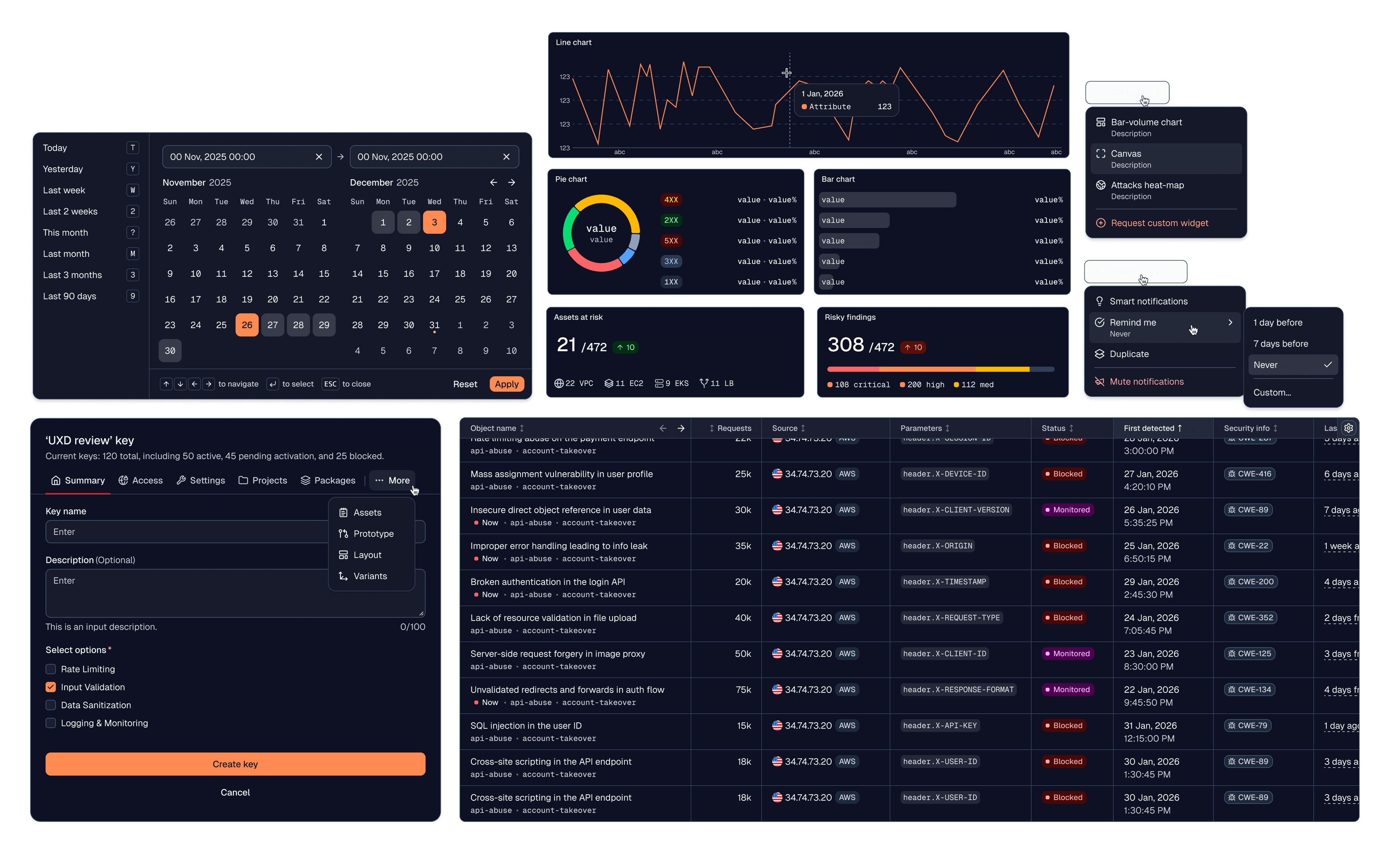
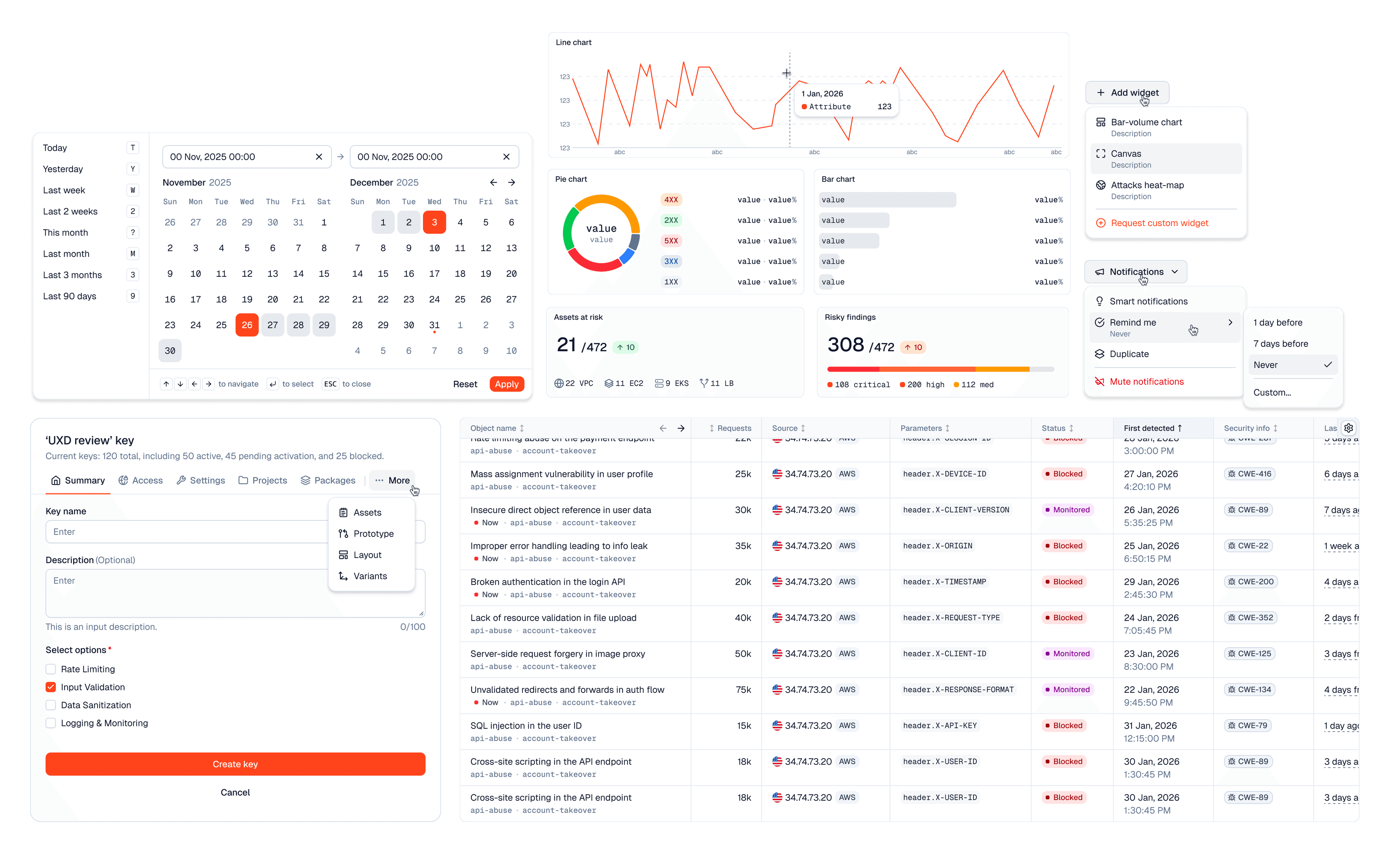
The same parts, composed. A playground built entirely from the design system: the risk dashboard and charts, the vulnerabilities table, the date picker, and the create-key flow. Drag to see it hold up in both light and dark.
Redesigning Eyetelligence around the surgeon's day